To-Do Board Test Report
To-Do Board is a to-do list laid out as a board of sticky notes. You type straight into a note, tick it off, give it a deadline, and an assistant can do the same from a sentence or a voice message. It works with no account at all; signing in with Google adds syncing between devices, Google Calendar events for deadlines, and an email the day before something is due.
This report walks through each feature: what it does, why it works the way it does, and how it was tested. Screenshots alone hide behaviour such as typing, toasts appearing and fading, and hover states, so the main flows also have screen recordings; each "Watch at" button jumps to the moment that test happens.
| Feature | Works without an account | Tested |
|---|---|---|
| Sticky-note board: add, edit, complete, deadlines, delete | Yes | Pass video and screenshots |
| Chat and voice assistant | Yes | Pass live chat and voice transcription |
| Google sign-in and syncing | Needs Google | Pass sign-out and signed-out use |
| Google Calendar events | Needs Google | Pass video and screenshots |
| Email reminders | Needs Google | Pass workflow log and the email |
| Read-only share link | Needs Google | Pass screenshot |
How it fits together
The board is a static site (TypeScript and Vite) hosted on Render. Signed out, tasks are saved in the browser. Signed in, they are stored in Supabase, where database rules let each person read and write only their own tasks. A small chat server holds the Groq API key, so the key never reaches the browser; it runs the assistant and voice transcription, and renews Google Calendar access. A daily GitHub Actions job sends the reminder emails.
1. The board
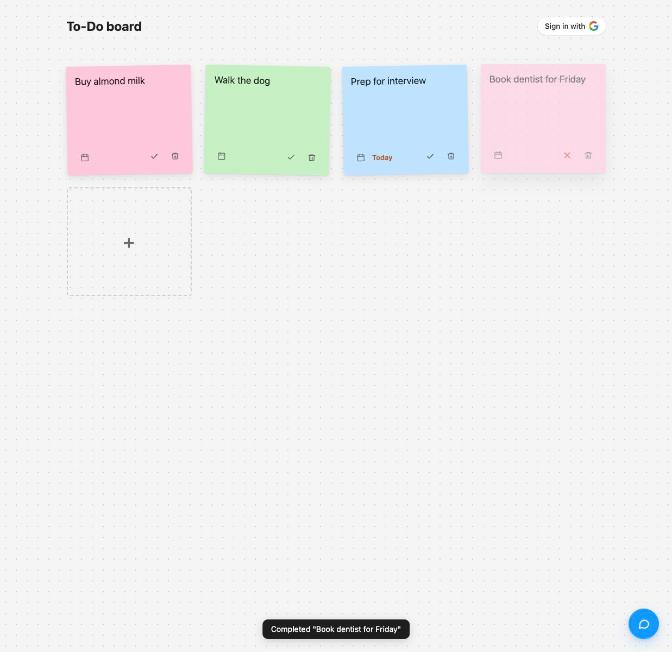
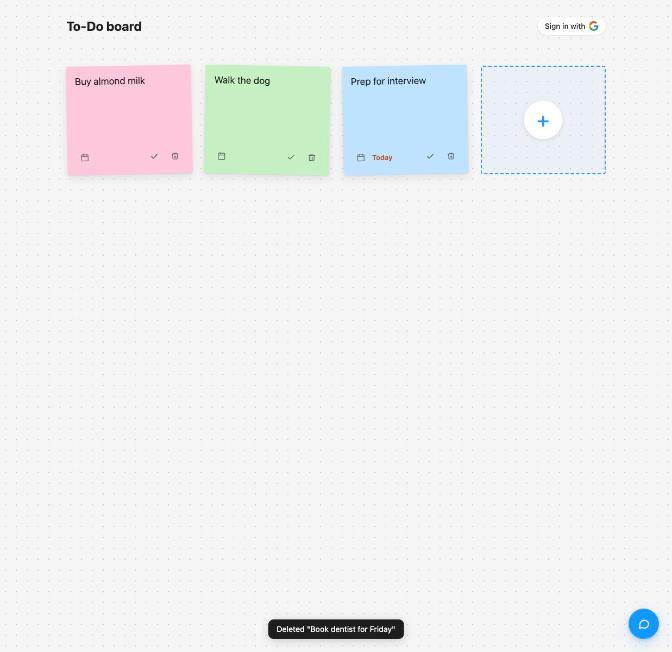
Each task is a sticky note. The dashed "+" tile at the end of the board turns into a new note you type into; Enter adds it and Escape cancels. A note's text is edited by clicking it and typing, and every keystroke is saved, so there is no Save button. The tick marks a task done, which fades the note and strikes the text through; on a done note the tick becomes a cross that reopens it. The trash icon deletes at once. After every change a short toast at the bottom says what happened.
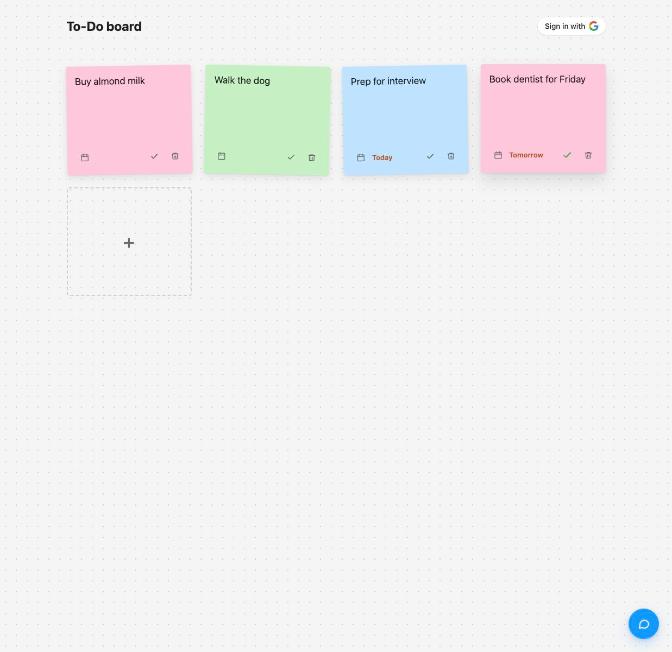
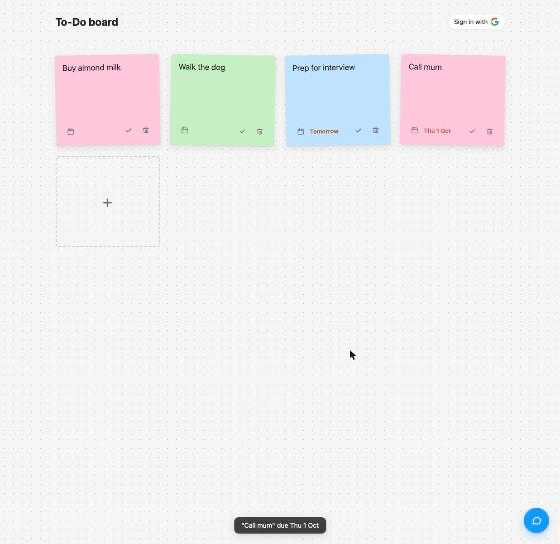
Deadlines are picked from a calendar icon. A note due today or tomorrow says so in amber, and a past date turns red, so what needs attention stands out without reading every date. Signed out, the board is saved in the browser and comes back after a reload.
How it was tested
A clean browser (Playwright) drove the board on a local copy of the app and recorded it at 25 frames a second, signed out.
The board flows, signed out: add, a blank title rejected, rename, complete, reopen, deadline, delete, reload.
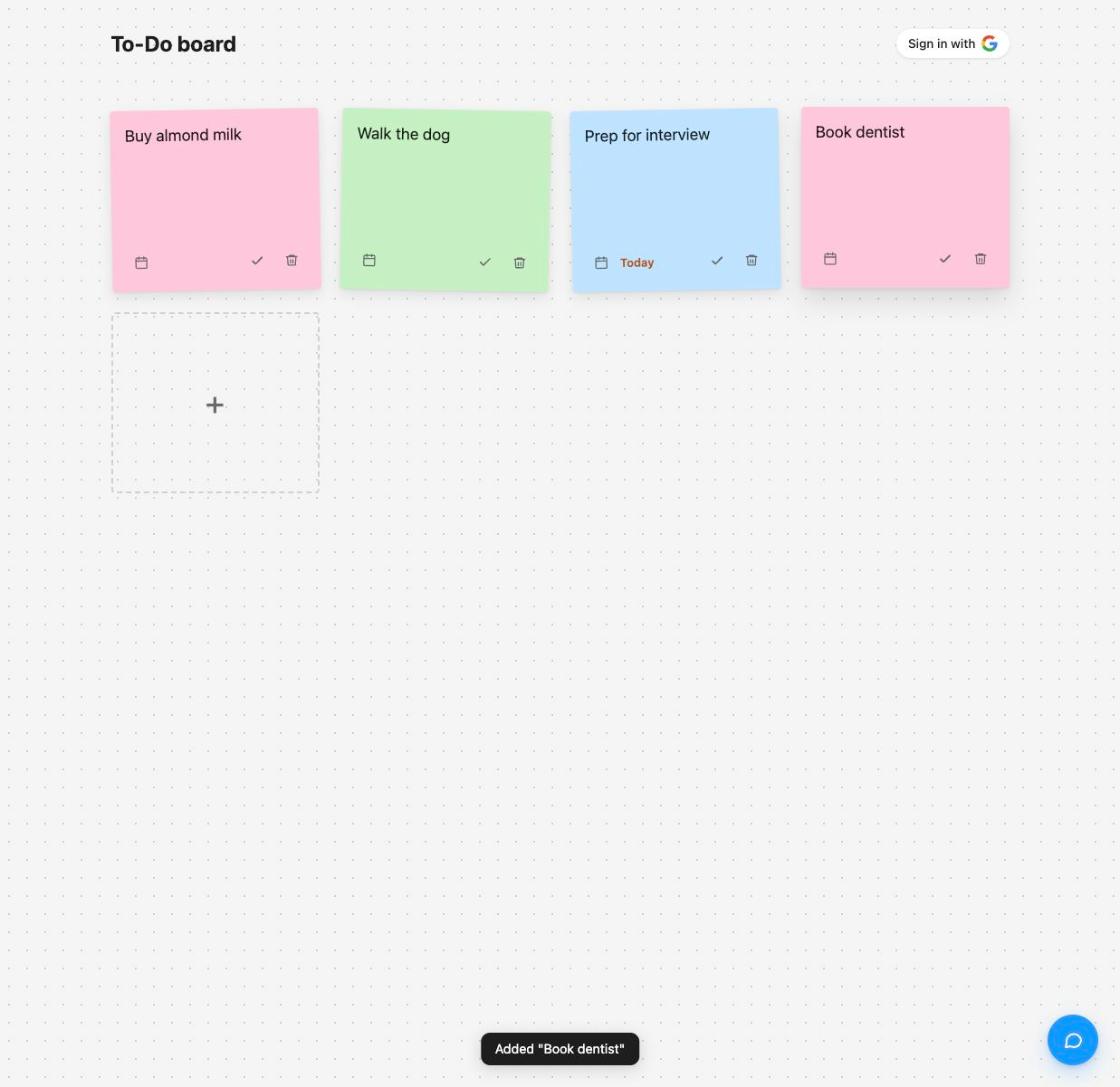
Add a task
PassTyping "Book dentist" into the new note and pressing Enter added it, with the toast Added "Book dentist". Pressing Enter on an empty note is refused with "Title can't be empty".
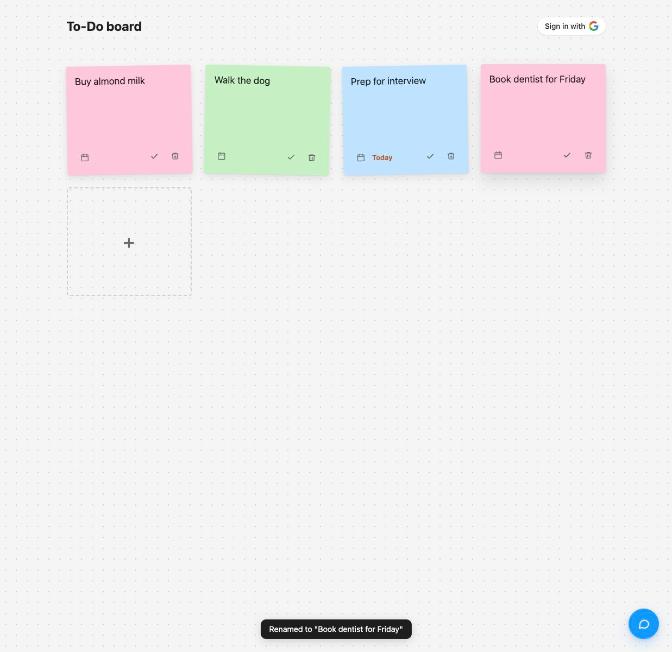
Edit in place
PassClicking the text and typing renamed it: Renamed to "Book dentist for Friday". Escape undoes an edit in progress.
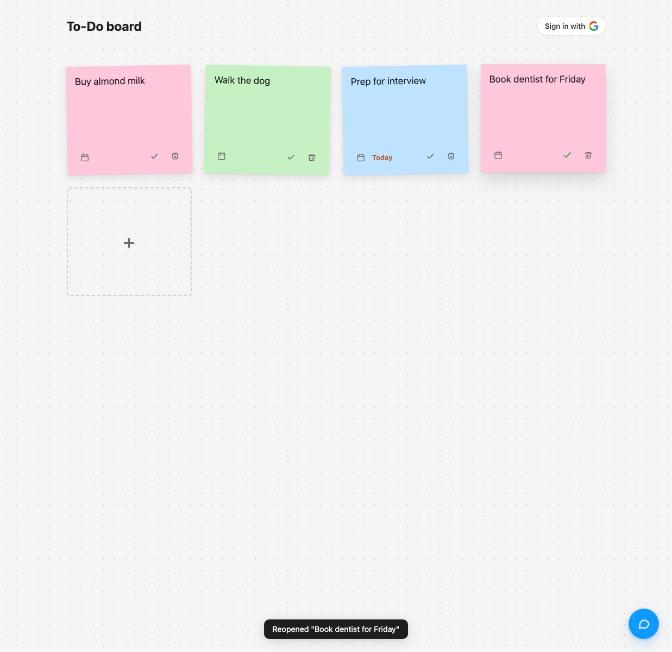
Complete and reopen
PassThe tick gave Completed "Book dentist for Friday" and the faded, struck-through note; the cross gave Reopened "Book dentist for Friday" and a normal note again.
Deadlines
PassA deadline of tomorrow shows "Tomorrow" in amber, today shows "Today", and a past date shows in red. In the test the date was set through the date field itself; the browser's own picker popup can't be driven by automation.
Delete, and saved across a reload
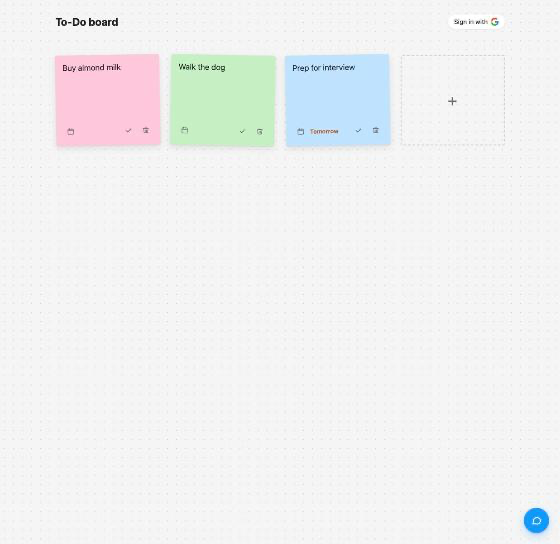
PassThe trash icon gave Deleted "Book dentist for Friday". After a reload the remaining notes came back in the same order, deadlines kept.
2. Chat and voice assistant
The chat button at the bottom right opens an assistant that understands plain requests such as "add team lunch for next friday" or "mark walk the dog done". It uses the same actions as the board (add, edit, mark done or not done, delete, and set a deadline), so everything it does shows up as normal notes and toasts. It is told today's date and the next two weeks, so "next week" or "next friday" become real dates. The microphone button records a short voice message, which is turned into text and sent like a typed one; the reply to a spoken message is read aloud.
The assistant runs on a model hosted by Groq, called through the chat server so the API key stays private. That server only accepts requests from this site and limits how often each visitor can call it, which protects the free daily quota.
How it was tested
A plain request
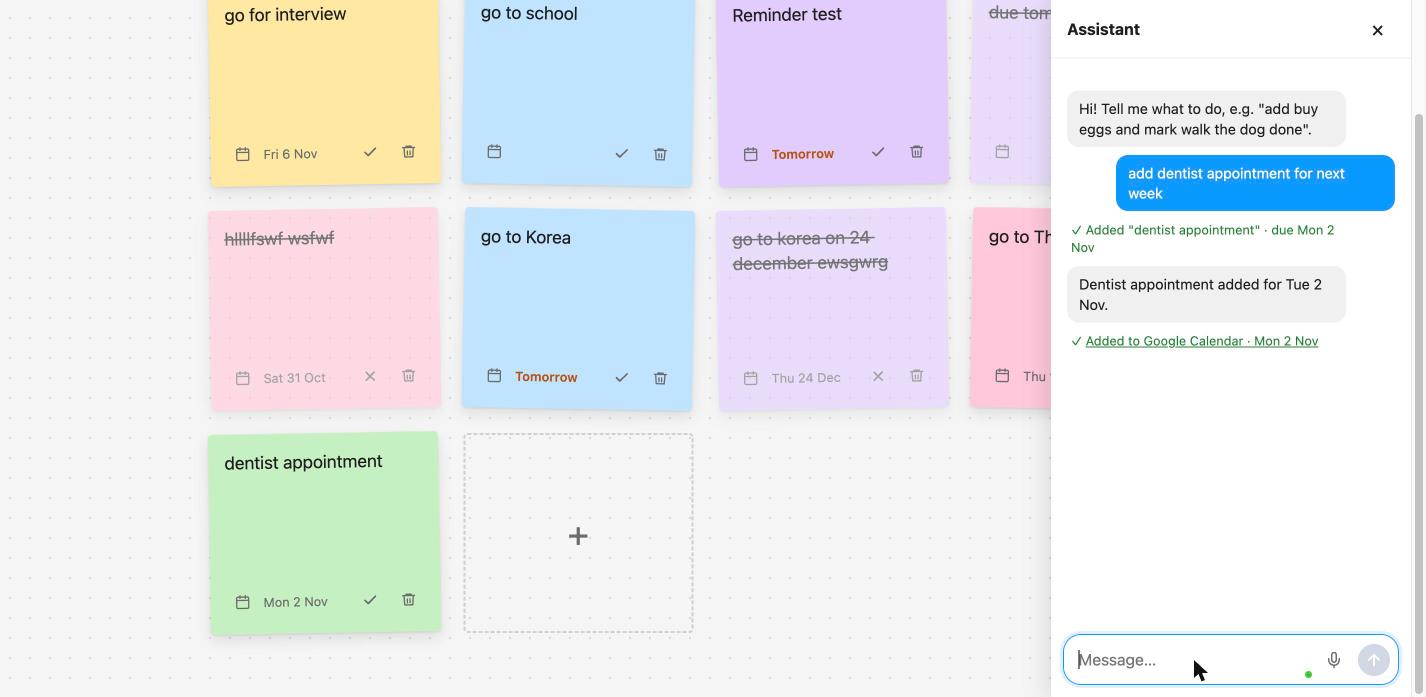
PassOn the live site, "add dentist appointment for next week" added the task for Monday 2 Nov, the start of next week: Added "dentist appointment" · due Mon 2 Nov and Added to Google Calendar · Mon 2 Nov, and the new note shows "Mon 2 Nov".
Voice
PassA spoken request was generated with macOS say and sent to the server's transcription endpoint, the same path the microphone button uses. It came back as English text. The same request sent as if from another website was refused.
$ say -o phrase.aiff "Add buy bread due next Monday, and mark walk the dog done."
$ curl -X POST -H 'Origin: https://shopback-todo.onrender.com' -H 'Content-Type: audio/wav' \
    --data-binary @phrase.wav https://shopback-todo-chat.onrender.com/transcribe
{"text":"Add by bread due next Monday, and mark walk the dog done."}
HTTP 200
$ # the same audio with Origin: https://evil.example
HTTP 403
3. Signed in with Google
"Sign in with Google" moves the board into your account, so it follows you between devices. On the first sign-in, the notes already in that browser are uploaded rather than lost. Each person's tasks are protected by database rules: one account can never read or change another's. Signing out goes back to the browser's own board, and anything added while signed out stays in that browser.
How it was tested
Sign-out and signed-out use
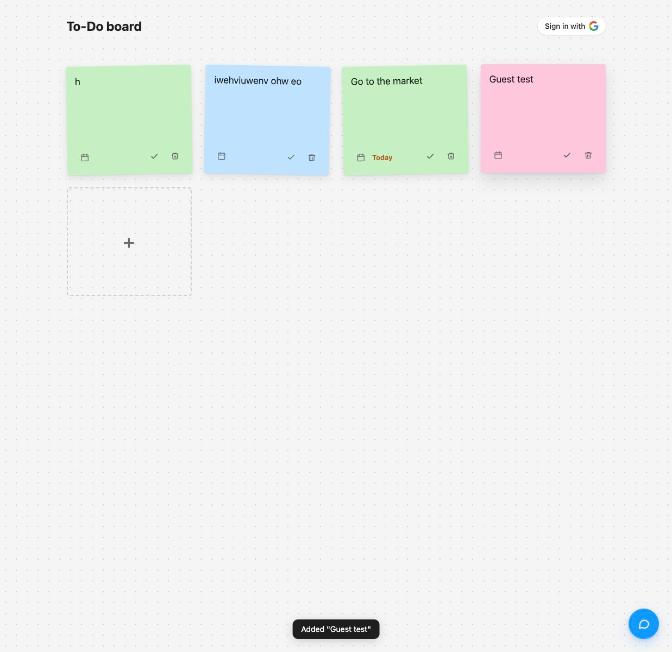
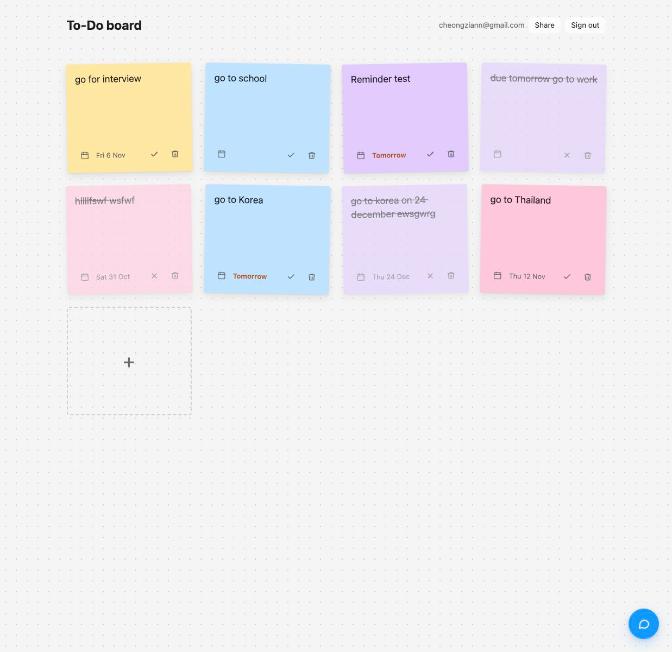
PassSigning out showed no error. Signed out, a "Guest test" note was added (Added "Guest test", with no Calendar line, since there is no account) and completed through the chat, then deleted. After signing back in, the account's board had no "Guest test".
4. Google Calendar
When you're signed in, every task with a deadline becomes an all-day event in your Google Calendar, marked "From your To-Do board", with a reminder the day before. Renaming the task, changing its date or deleting it updates or removes the event. The toast, and the assistant's reply, include an "Added to Google Calendar" link that opens the event.
How it was tested
Event created from the chat, opened from its link
PassRecorded on the live site: "add team lunch for next friday" (0:03), the reply's "Added to Google Calendar · Fri 6 Nov" link (0:12), and, after clicking it, the "team lunch" event in Google Calendar on Friday 6 November, "From your To-Do board" (0:27).
Event removed when the task is deleted
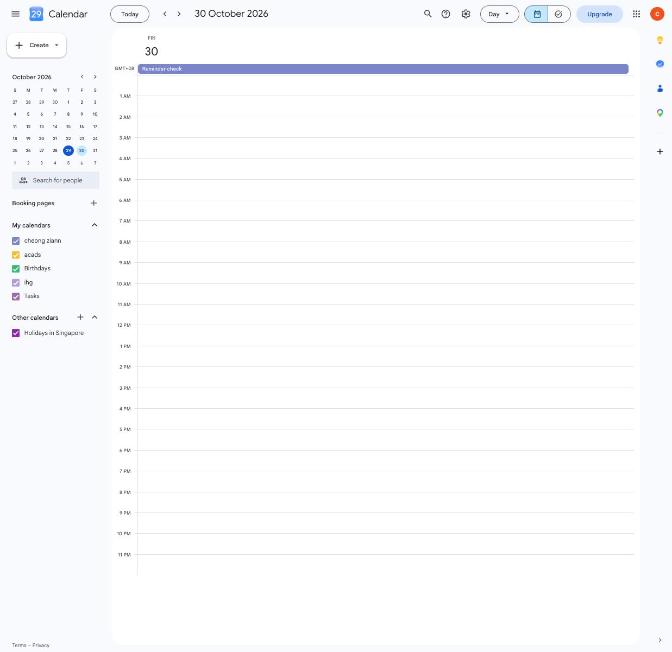
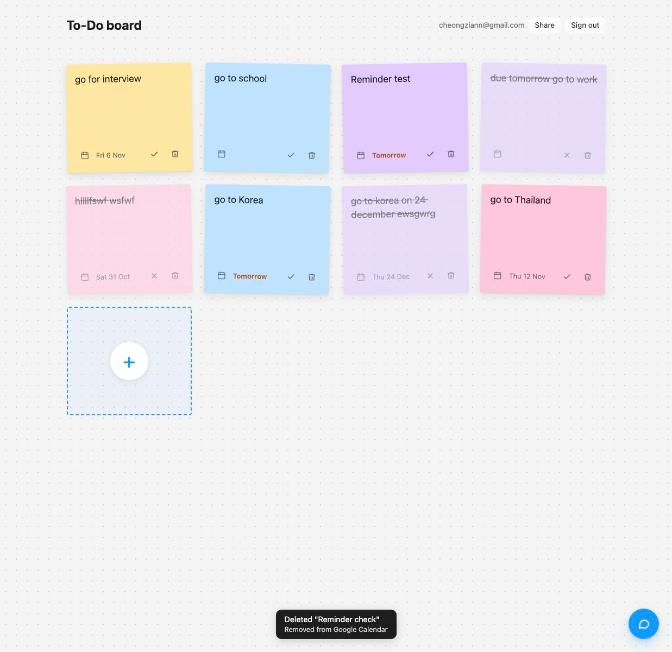
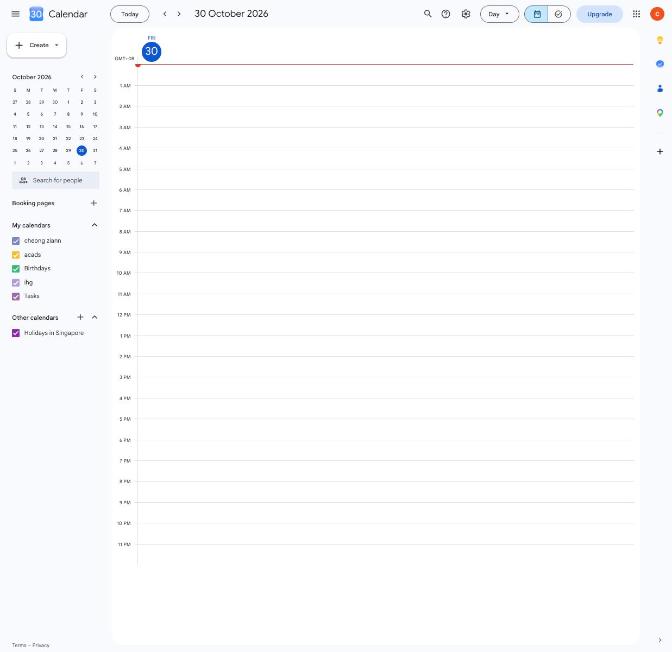
PassAn earlier run created "Reminder check" for Fri 30 Oct, then deleted it: the toast said Deleted "Reminder check" and "Removed from Google Calendar", and the event was gone from that day.
5. Email reminders
Every morning at 09:00 Singapore time, a scheduled job emails each signed-in user a list of their open tasks due today or tomorrow. Each task is reminded once per deadline, so the same email isn't sent twice; moving the deadline sets the reminder up again. The job runs on GitHub Actions and reads the database with a key that never leaves GitHub's secrets.
How it was tested
A reminder sent and received
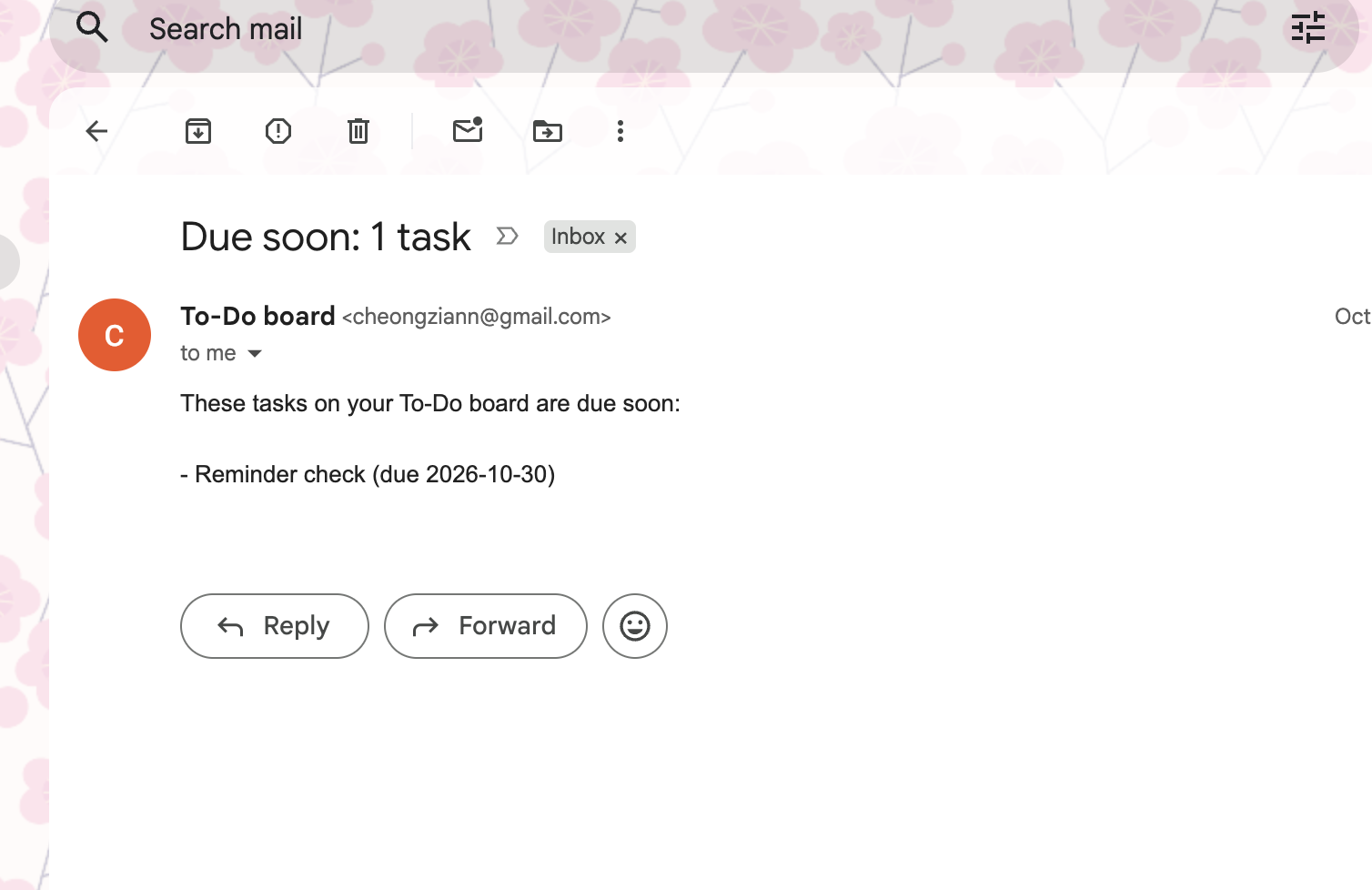
PassWith a task due the next day, the job was run by hand (run 40906883800). It sent one email, which arrived listing the task.
$ gh run view 40906883800 --log | grep "reminder emails"
sent 1 of 1 reminder emails
6. Read-only share link
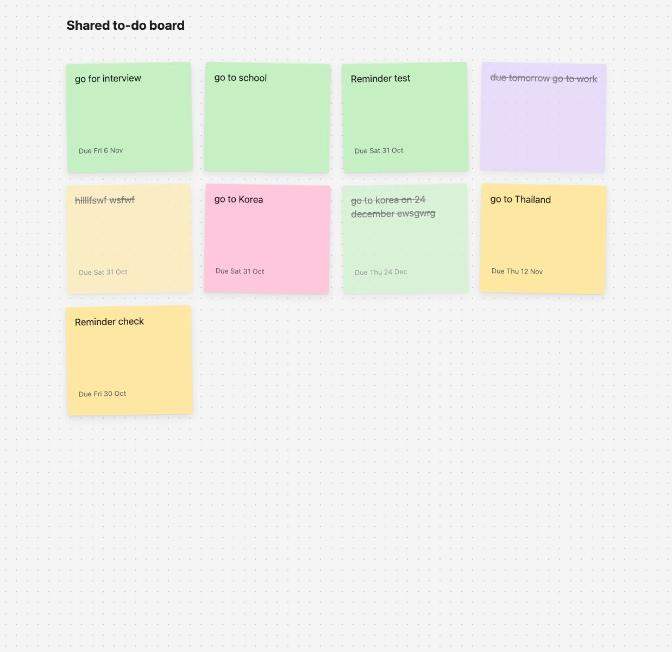
"Share" copies a link to your board that anyone can open to see your tasks, without being able to change them: no "+" tile, no icons, no chat, no sign-in.
How it was tested
Link copied and opened
Pass"Share" showed Read-only link to your board copied, and the link opened "Shared to-do board" with the same tasks in read-only form.
How the project itself is checked
78 unit tests cover the task rules (titles, deadlines, editing and deleting), saving and loading, the assistant's actions and the reminder emails. GitHub runs the tests and the build on every push, and Render only deploys a commit once those checks pass, so a failing change never reaches the live site. The submitted ZIP was also unzipped into a fresh folder, installed, tested and built from scratch.
Not covered
The browser's microphone button itself (it needs a person to grant microphone access; the transcription behind it was tested), and the browser's own date-picker popup.